
Woocommerce Tutorials
March 05, 2017
Showing posts with label Pinegrow Tutorials. Show all posts
Showing posts with label Pinegrow Tutorials. Show all posts
Sunday, March 5, 2017

Monday, February 6, 2017
Sunday, October 30, 2016
Monday, October 10, 2016
Thursday, August 25, 2016

Pinegrow Tutorials
August 25, 2016
Owl Carousel v2 Plugin for Pinegrow
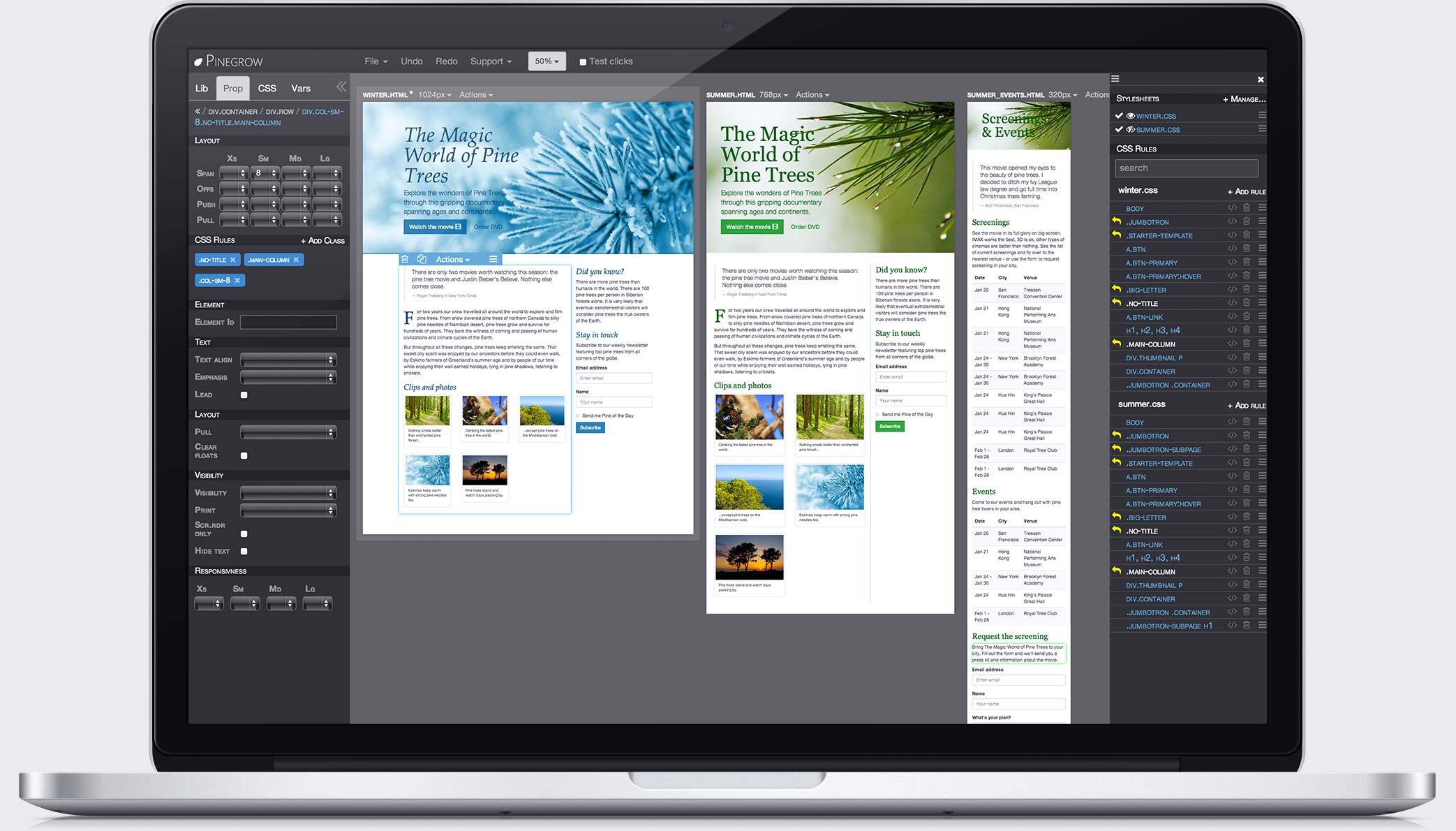
This is a plugin for Pinegrow, to download trial a version of Pinegrow visit http://pinegrow.com/, this plugin adds basic OWL Carousel (v2) functionality when activated in Pinegrow, add jquery to your page (http://www.w3schools.com/jquery/jquery_get_started.asp) or use a framework like Bootstrap (Built into Pinegrow to make thing easy for you). To see examples and a demo visit http://www.owlcarousel.owlgraphic.com/ .
Plugin Introduction Video

Animate CSS
Animate.css has been added so now you can use Animate.css you can visit https://daneden.github.io/animate.css/ for more effects.
default parameters for owl carousel are:
    items:4,
    nav:true,
    animateOut: 'fadeOut',
    animateIn: 'fadeIn',
How to use This Plugin
1) Make sure you have jQuery Added to the page before activating the plugin. if you don't know how to add jquery then just add the following line before closing head tag of your web page.
<script src="https://ajax.googleapis.com/ajax/libs/jquery/1.12.4/jquery.min.js"></script>
2) You have to save the page after that
3) load the plugin by click on Manage Library and Plugin
4) load the plugin
5) Click Add Button
6) Now activate and add resources to page.
you will see new option in LIB panel of OWL Slider, just drag and drop OWL slider first then you can add other slides as many as you want. when you select OWL Carousel from right panel, then from Properties you can add different parameters currently noly support four parameters which are mentioned above.
The upcoming PRO version will include all the OWL features. If you have any questions or feedback contact me via Skype:software_solutions.
Screenshots from Pro Version


Key features of PRO Version of Plugin
List including all options from built-in plugins video, lazyload, mousewheel and animate.
mousewheel
To add mouswheel scrolling just included the fantastic plugin jquery.mousewheel.js created by Brandon Aaron. Link to plugin GitHub page https://github.com/brandonaaron/jquery-mousewheel
items
Type: Number Default: 3
The number of items you want to see on the screen.
margin
Type: Number Default: 0
margin-right(px) on item.
loop
Type: Boolean Default: false
Inifnity loop. Duplicate last and first items to get loop illusion.
center
Type: Boolean Default: false
Center item. Works well with even an odd number of items.
mouseDrag
Type: Boolean Default: true
Mouse drag enabled.
touchDrag
Type: Boolean Default: true
Touch drag enabled.
pullDrag
Type: Boolean Default: true
Stage pull to edge.
freeDrag
Type: Boolean Default: false
Item pull to edge.
stagePadding
Type: Number Default: 0
Padding left and right on stage (can see neighbours).
merge
Type: Boolean Default: false
Merge items. Looking for data-merge='{number}' inside item..
mergeFit
Type: Boolean Default: true
Fit merged items if screen is smaller than items value.
autoWidth
Type: Boolean Default: false
Set non grid content. Try using width style on divs.
nav
Type: Boolean Default: false
Show next/prev buttons.
navRewind
Type: Boolean Default: true
Go to first/last.
slideBy
Type: Number/String Default: 1
Navigation slide by x. 'page' string can be set to slide by page.
dots
Type: Boolean Default: true
Show dots navigation.
lazyLoad
Type: Boolean Default: false
Lazy load images. data-src and data-src-retina for highres. Also load images into background inline style if element is not ![]()
autoplay
Type: Boolean Default: false
Autoplay.
autoplayTimeout
Type: Number Default: 5000
Autoplay interval timeout.
autoplayHoverPause
Type: Boolean Default: false
Pause on mouse hover.
autoplaySpeed
Type: Number/Boolean Default: false
autoplay speed.
video
Type: Boolean Default: false
Enable fetching YouTube/Vimeo videos.
videoHeight
Type: Number/Boolean Default: false
Set height for videos.
videoWidth
Type: Number/Boolean Default: false
Set width for videos.
animateOut
Type: String/Bolean Default: false
CSS3 animation out.
animateIn
Type: String/Bolean Default: false
CSS3 animation in.
fallbackEasing
Type: String Default: swing
Easing for CSS2 $.animate.
Thank You!
Tuesday, May 3, 2016
Twitter Bootstrap Tutorials Urdu
May 03, 2016
Convert Non-Responsive Website to Responsive website using Pinegrow
Pinegrow is a power GUI for HTML/CSS and it also includes Twitter Bootstrap and Foundation CSS to make your work easy and productive also, it supports WordPress theme creation, check out the following video to see how easily we can convert a no-responsive website to a responsive website.
soon I'll upload videos of creating WordPressss theme using Pinegrow web designer tool.
soon I'll upload videos of creating WordPressss theme using Pinegrow web designer tool.

 My Name is Imran Qasim, I have 10+ years experience working in Web Development and giving Training on Different Web Platform especially related to PHP and Frontend Development, you can visit my YouTube Channel for my Tutorials Videos to know more about me you can contact me via Contact us link.
Thank You!
you can join my YouTube Channel at
My Name is Imran Qasim, I have 10+ years experience working in Web Development and giving Training on Different Web Platform especially related to PHP and Frontend Development, you can visit my YouTube Channel for my Tutorials Videos to know more about me you can contact me via Contact us link.
Thank You!
you can join my YouTube Channel at 


